

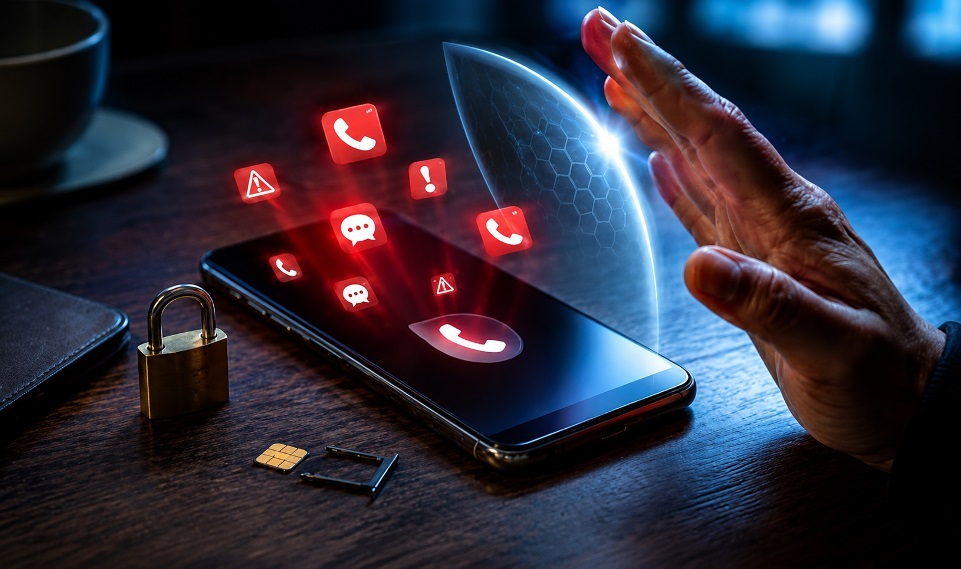
Do not sign anyone up for spam calls or texts. It can be harassment and may create legal, carrier, and platform consequences. This guide is for people protecting their own number online, especially if someone misused it in forms, quote sites, or lead lists.
Spam texts, robocalls, and fake verification messages are not just annoying. They can expose accounts, drain attention, and hide real security alerts. Use the steps below to reduce abuse, document patterns, and report unwanted contact without feeding scammers more data. Treat your phone number like a financial credential, not a public comment field anywhere online today.
- Why Spam Calls and Texts Hit Your Number
- Why “Signing Someone Up for Spam” Is Not a Prank
- What To Do in the First 15 Minutes
- Comparison Table: Spam, Scam, or Harassment?
- Build a Phone Number Exposure Audit
- Be Careful With “Free” Telemarketing Forms
- Turn On Technical Protection
- Keep Evidence Without Feeding the Problem
- When To Change Your Number
- Final Takeaway
- FAQs
Why Spam Calls and Texts Hit Your Number
Most spam starts because your number entered a data pipeline. That pipeline may include comparison forms, coupon pages, public directories, old resumes, property inquiries, moving quotes, insurance forms, or breached contact lists.
A sudden spike does not always mean one person targeted you. It can happen after one broad-consent form sends your details to several lead buyers. Some people search for phrases like sign up for spam calls because they are trying to understand why their number is suddenly receiving unwanted calls, but the safe response is always prevention, reporting, and consent protection.
Why “Signing Someone Up for Spam” Is Not a Prank
Searches like how to sign someone up for spam calls point to a serious consent problem. Entering another person’s number without permission can trigger unwanted marketing, scam exposure, emotional stress, and account-security noise.
The phrase sign someone up for spam calls should be understood as a warning sign, not an action to copy. That behavior may be treated as harassment, impersonation, or misuse of communication systems depending on intent and local law. A professional rule is simple: no consent, no submission.
If you are the victim, your job is not revenge. Your job is containment, evidence, and reporting.
What To Do in the First 15 Minutes
Do not reply to unknown texts. Do not click links. Do not press numbers during robocalls. Do not confirm your name, address, bank, employer, or verification code.
Forward suspicious texts to 7726 when your carrier supports it. Select the “Report Junk” or “Report Spam” feature directly within your texting application.
For unwanted calls, block the number and use the Do Not Call complaint process.
If money, login details, or identity information were involved, report the scam to the FTC immediately. A spam problem becomes a security problem the moment you share sensitive data.
Comparison Table: Spam, Scam, or Harassment?
| Signal | Likely Spam | Likely Scam | Possible Harassment |
|---|---|---|---|
| Message type | Generic offer | Urgent payment or login request | Repeated sign-ups tied to a person |
| Goal | Sell or promote | Steal money or data | Disturb, intimidate, or overload |
| Best response | Block and report | Do not click; report fraud | Save evidence and escalate |
| Risk level | Medium | High | High if targeted or repeated |
Use the table to decide how hard to respond. One coupon text is different from 40 loan calls after a personal dispute.
Build a Phone Number Exposure Audit
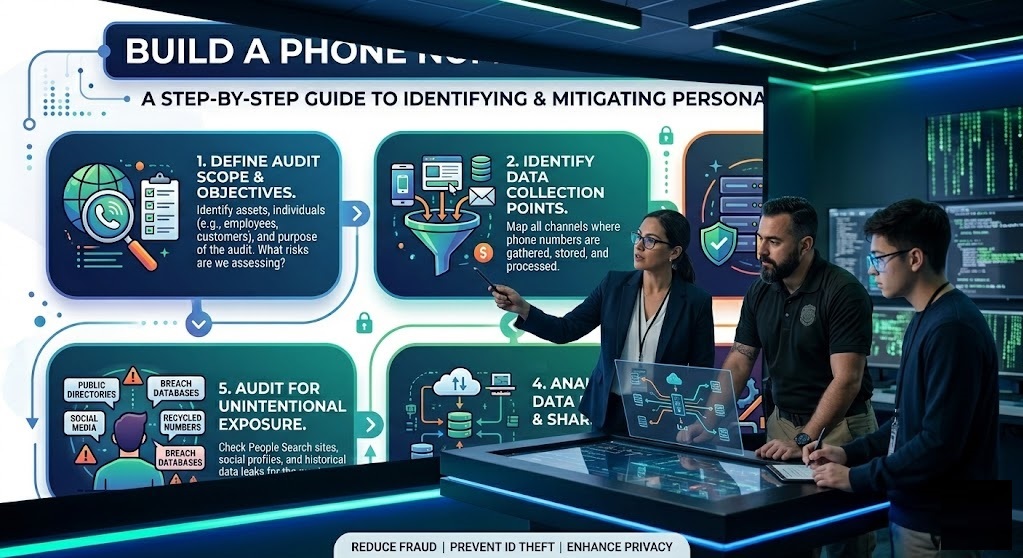
The strongest protection is prevention. Start by finding where your number is visible or repeatedly submitted.
Search your number in quotes using different formats. Check social profiles, business listings, marketplace posts, old PDFs, directory pages, real estate pages, and resumes. Remove public listings where possible.
Next, review recent forms. Real estate, mortgage, insurance, solar, car, home warranty, and moving quote pages often share leads. Some disclose partner contact in fine print; some make consent too broad for the average user to understand.
Be careful with any page that looks like a spam call sign up form or asks for a phone number without a clear privacy notice. Legitimate services explain who may contact you, why they need your number, and how you can opt out.
Use a secondary number for quotes, rentals, open-house forms, giveaways, and comparison tools. Keep your main number for banking, healthcare, work, family, and account recovery.
Be Careful With “Free” Telemarketing Forms
Some websites advertise offers that look harmless but require a phone number before showing details. A phrase such as sign up for telemarketing calls free may appear in searches or low-quality pages, but giving out your real number can lead to repeated sales calls, lead sharing, or unwanted follow-ups.
Before entering your number anywhere, check whether the page clearly explains consent, partner sharing, opt-out rights, and the company behind the form. If the terms are vague, use a secondary number or avoid the form completely.
Turn On Technical Protection
Your phone and carrier already have tools. Use them.
On iPhone, review unknown caller silencing, blocked contacts, message filtering, and junk reporting. On Android, check caller ID, spam protection, blocked numbers, and Messages spam controls.
Ask your carrier about call labeling and spam text filtering. These tools are not perfect, but they reduce volume and help carriers detect patterns across users.
Also protect your accounts. If spam floods your phone, an attacker may be trying to distract you from password resets, SIM-swap attempts, or verification-code requests. Move important accounts to strong passwords and an authenticator app where possible.
Keep Evidence Without Feeding the Problem
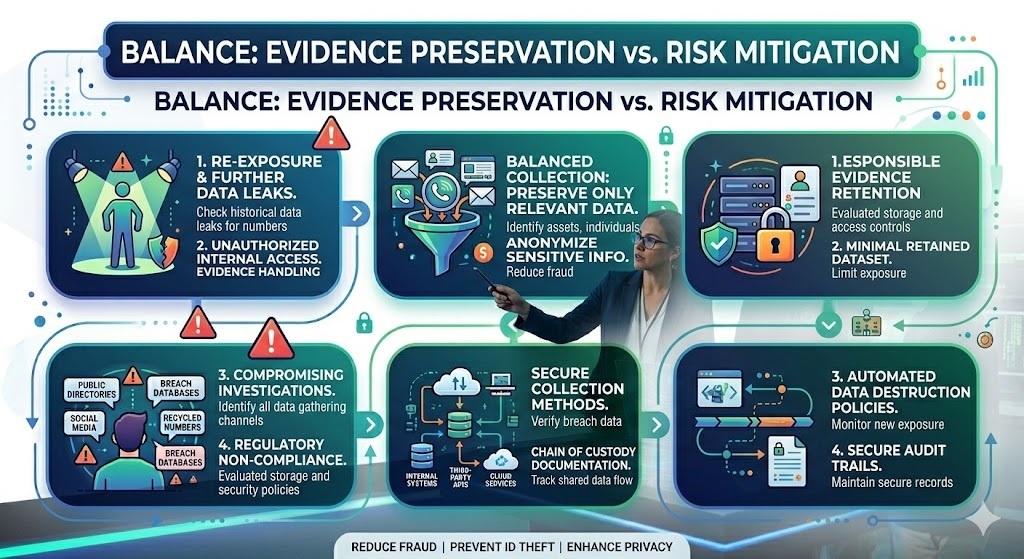
If you suspect someone tried to sign you up for spam, document cleanly.
Save screenshots, call logs, voicemail files, message content, dates, times, and any threat that came before the spike. Do not delete everything in frustration. Evidence matters if you need help from a carrier, platform, school, workplace, attorney, or law enforcement.
Do not threaten back. Do not search for ways to retaliate. Retaliation creates your own risk and weakens your position.
When To Change Your Number
Changing your number is a last resort, not the first move. It can break account recovery, medical access, work contacts, banking alerts, and two-factor authentication.
Consider it only when the abuse is targeted, persistent, threatening, or tied to identity theft. Before changing it, update every critical account and remove the old number from recovery settings.
Final Takeaway
Your number deserves the same protection as your email, bank login, or home address. Do not help anyone abuse another person’s phone. If you find your phone number targeted, keep calm, cut off any response, file a report promptly, and minimize your digital footprint.
To build the strongest defense, keep it simple: reduce public submissions, tighten account security, improve filters, and maintain a clear evidence trail for all recorded patterns of serious contact.
FAQs
Can someone legally sign me up for spam calls?
Not safely. Using another person’s number without consent can create harassment and privacy issues, especially if it causes repeated unwanted contact.
What should I do if someone signed me up for spam texts?
Do not reply. Report the text as spam, forward it to 7726 when available, block repeat senders, and save evidence if the timing looks personal.
Does the Do Not Call Registry stop all spam?
No. It helps with many telemarketing calls, but it does not stop scammers, spoofed numbers, political calls, surveys, or companies you allowed to contact you.
Should I use my real number online?
Use it only when necessary. For quotes, listings, downloads, and public forms, a secondary number is safer.
