


The issue of online privacy is no longer exclusively a “tech person” topic. Today, many people have tax-related files, work-related documents, crypto notes, family files, contracts and personal photos stored in the cloud. The issue is straightforward, the majority of storage possibilities are convenient but not necessarily private.
That is why many users are searching for Anon Vault. It promises a more private way to store and share files without exposing unnecessary personal data. But is it fast enough? Is it secure enough? And who should actually use it?
This Anon Vault review explains the platform in plain English. You will learn how it works, what to test before relying on it, and where it may fit in a privacy-first digital setup.
What Is Anon Vault?
Anon Vault is commonly described as a privacy-focused digital storage tool. The idea is to give users a safer place to keep files while reducing identity exposure.
Unlike normal cloud storage, an anonymous vault is built around privacy first. That usually means stronger encryption, fewer account details, and more control over who can access stored files.
Anon Vault is, in simple terms, for those who wish to store files in a secure fashion without creating data trails with every upload.
Some potential applications are:
- Storing personal records
- Maintaining confidentiality of business records.
- Sharing sensitive documents
- Protecting research files
- Saving backup copies of important data
- Reducing exposure from mainstream cloud tools
This does not mean it is perfect for everyone. Privacy tools often trade some convenience for better control.
Anon Vault Security: What Matters Most?
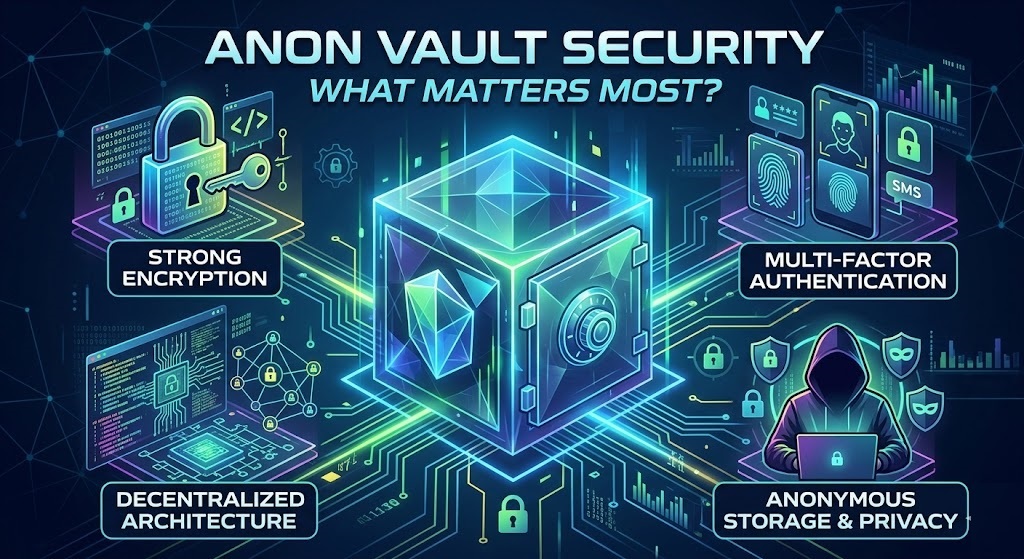
Security is the biggest reason people look at Anon Vault. The main feature to understand is encryption.
How encryption protects your files
Encryption turns your files into unreadable data. If someone tries to view them without the correct key, the content should look useless. This matters because cloud storage accounts can be attacked, leaked, or accessed through weak passwords.
A good encrypted vault should protect files before, during, and after upload. The strongest privacy model is usually client-side encryption, where the file is encrypted before it leaves your device.
Why zero-knowledge storage matters
Zero-knowledge storage means the provider should not be able to read your files. In this setup, only the user controls the key needed to unlock the data.
This is powerful, but it comes with responsibility. If you lose your recovery key or password, support may not be able to restore access. That is not a bug. It is part of the privacy model.
This is helpful for those in the USA who wish to secure personal documents, client records, legal documents, or financial records. However, companies should verify compliance requirements prior to storing regulated information.
Speed Testing: What Real Users Should Check
It is not all about the numbers when you’re uploading. Even with good encryption, routing, or handling of files, a private vault can be slow. Test out Anon Vault with real files before using it as your primary file storage solution. Don’t evaluate it strictly based on a small text document.
Use this easy test:
- Upload a 10 MB PDF.
- Upload a 500 MB video or ZIP file.
- Download both files on a different device.
- Share one file with another user.
- Check whether the link opens quickly.
- Repeat the test on mobile data and Wi-Fi.
This gives you a more honest picture of performance.
What affects Anon Vault speed?
Several things can slow down private storage:
- File size
- Encryption process
- Internet connection
- Server location
- Browser performance
- VPN or Tor use
- Device age
If you use privacy routing, expect some slowdown. That is normal. The key question is whether the extra privacy is worth the speed trade-off for your needs.
Privacy Benefits and Possible Limits
Anon Vault may appeal to users who dislike how much personal data normal platforms collect. A privacy-first vault can reduce tracking, limit identity exposure, and give users more control.
However, privacy is not the same as invisibility.
You still need good habits. Use a strong password. Turn on multi-factor authentication if available. Keep recovery keys offline. Avoid sharing public links without expiration settings. Do not upload illegal or harmful content.
A secure tool cannot fix careless use.
Who benefits most from Anon Vault?
Anon Vault may be useful for freelancers, researchers, privacy-conscious families, journalists, small business owners, and people who handle sensitive documents.
For example, a freelance accountant may want to store client tax files away from standard shared drives. A small business owner may want a separate encrypted space for contracts. A family may want a safer place for passports and insurance files.
The main value is control.
Anon Vault vs Traditional Cloud Storage
Traditional cloud storage tools are easy to use. They often have strong syncing, polished apps, and simple sharing. But they may also collect more account data and metadata than privacy-focused users prefer.
Anon Vault appears to focus more on security and anonymity. That can make it better for sensitive files, but it may not replace Google Drive, Dropbox, or OneDrive for everyday teamwork.
Use traditional storage for normal files. Use encrypted private storage for files that would cause real harm if exposed.
That simple rule helps avoid overcomplicating your setup.
Internal link opportunity: Link to a guide about “best secure cloud storage options” here.
Practical Tips Before Using Anon Vault
Before trusting any privacy tool, take a careful first step. Start with non-critical files. Test uploads, downloads, recovery, sharing, and account access.
Check these points:
- Does it offer clear encryption details?
- Can you control or export your keys?
- Is there two-factor authentication?
- Are sharing links protected?
- Can links expire?
- Is there a file recovery option?
- What happens if you lose your password?
- Are pricing and limits clear?
- Is there public documentation?
If the answers are unclear, use the tool cautiously.
Also Read: Spam Calls and Texts: Protect Your Number From Spam Online
Final Verdict: Is Anon Vault Worth It?
Anon Vault is worth considering if privacy matters more to you than maximum convenience. Its biggest appeal is secure, private file storage with less exposure than standard cloud platforms.
Still don’t just believe what marketing people say. Test how fast it works check the security settings read what they do with your information and know what happens if you forget your login details.
For people the easiest way is to keep everyday files in regular cloud storage. Put files in a private and encrypted safe. This way you get a balance without making your digital life too complicated.
Next read a guide, about cloud storage. Compare Anon Vault with another tool that keeps your information private before you decide on a storage system.
